Waters Troubleshooting
Peaksel does not recognize CAD or ELSD detectors?
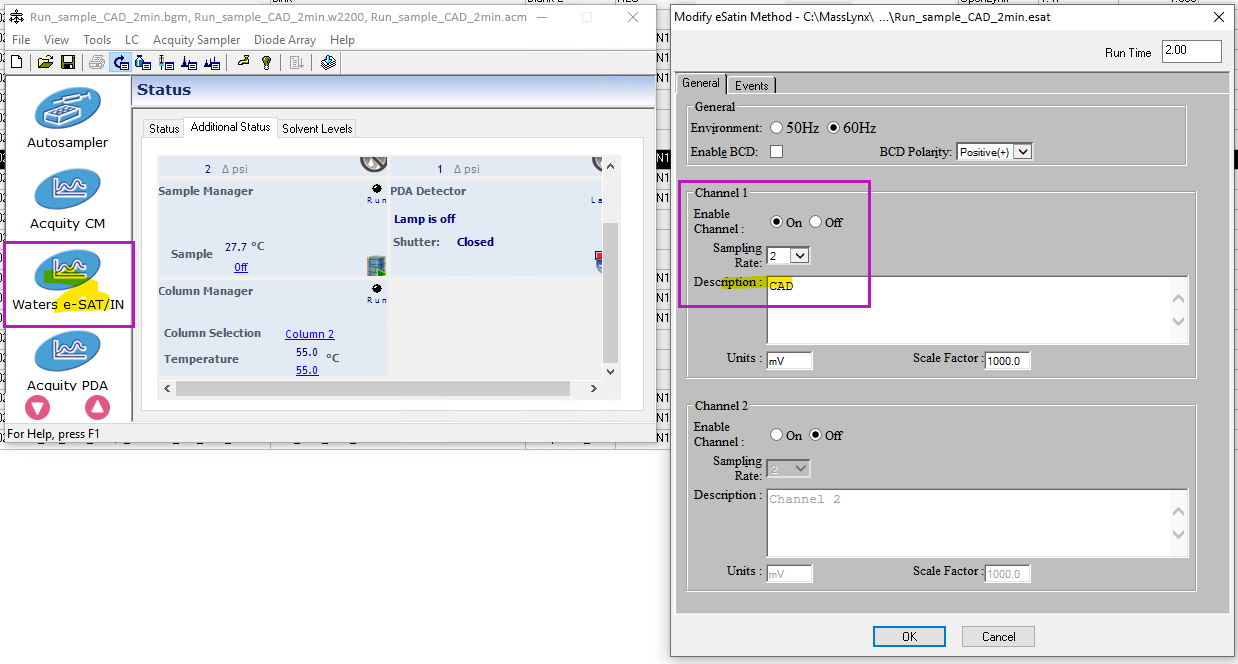
Third-party detectors (e.g. CAD, ELSD, etc.) are connected via the analog Waters e-SAT/IN module. MassLynx does not recognize them natively and assigns a generic name like Channel 1:
-
If left as Channel 1, Peaksel will parse the file but won’t understand the instrument type, displaying the signal merely as Channel 1.
-
If the software names the channel differently (e.g. an unrecognized or auxiliary name), Peaksel will not see the detector at all.
For Peaksel to correctly identify the detector type, the channel description must contain the keyword: CAD or ELSD.